Why Claude Code Wanders in Big Repos (And Three Fixes)
Greg Heffner May 22, 2026
I have been running Claude Code against some big repos lately, and here is the part nobody tells you up front: it works, but only if you set the table for it. Point it at a large codebase cold and it wanders. It greps services that have nothing to do with the job, it offers to refactor things you never asked about, and it burns half its context just working out where it is. That is not the tool being dumb. That is me handing it a building with no floor map.
I pulled three fixes from a ClaudeFast guide, Claude Code in Large Codebases: 8 Strategies, and these are the three I would set up first. Credit where it is due up front: the playbook is theirs. This is just me writing up the parts that earned their keep.
1. Keep CLAUDE.md Lean, and Layer It
Be honest with yourself about CLAUDE.md. You start it small, then every time something goes sideways you add a line, and a few months later it is a few hundred lines that load into every single session whether they matter to the task or not. I have done this. You have probably done this.
The fix is to keep the root file lean, somewhere under 100 lines, and only put cross-cutting stuff in it: the stack, what the top-level folders do, the conventions that genuinely apply everywhere. Everything else gets pushed down into a CLAUDE.md inside the folder it belongs to.
This pays off because Claude walks up the directory tree and reads every CLAUDE.md on the way. Start a session inside the payments folder and it picks up the payments rules on its own. Work somewhere else and you never pay for them. The rules show up where the work is.
- Root file: stack, folder purposes, universal conventions. Nothing else.
- Folder-specific rules go in that folder's own CLAUDE.md.
- Gut check: grep your root file for a service or domain name. Find one? That line belongs in a subfolder.
2. Start Claude in the Right Folder
Most of us open Claude Code from the repo root every time without thinking about it. In a big repo that is a habit worth breaking. Wherever you start becomes the agent's default scope, so launching from the top tells it the whole codebase is fair game.
If I am working on the API, I start the session right there in that folder:
cd packages/api && claude
Now that folder is home base. Claude stops poking around unrelated services, stops pitching cross-module refactors that were never the point, and spends less of its context just getting its bearings. The root is still the right call for the big stuff, like an architecture review or a refactor that genuinely crosses packages. The point is to pick on purpose instead of defaulting to the top every time.
3. Give It a Codebase Map
Even scoped to the right folder, the agent still needs to know the lay of the land. A codebase map handles that without the weight of full architecture docs. It is a plain markdown file at the repo root, one line per top-level folder, each line answering one question: what code lives here?
The whole trick is the one line. The second an entry turns into a paragraph you are writing documentation again, and documentation goes stale. Kept short, the map is pure wayfinding. The guide gives this as the shape of an entry:
packages/api/: tRPC API, request handlers, validation schemas
One line and the agent already knows roughly where to look for API work. This site is deployed from a GitOps repo of mine called cicd: a blue-green Kubernetes nginx setup plus manifests for a few small apps. I wrote it a codebase map, CODEBASE_MAP.md, and here is the whole file:
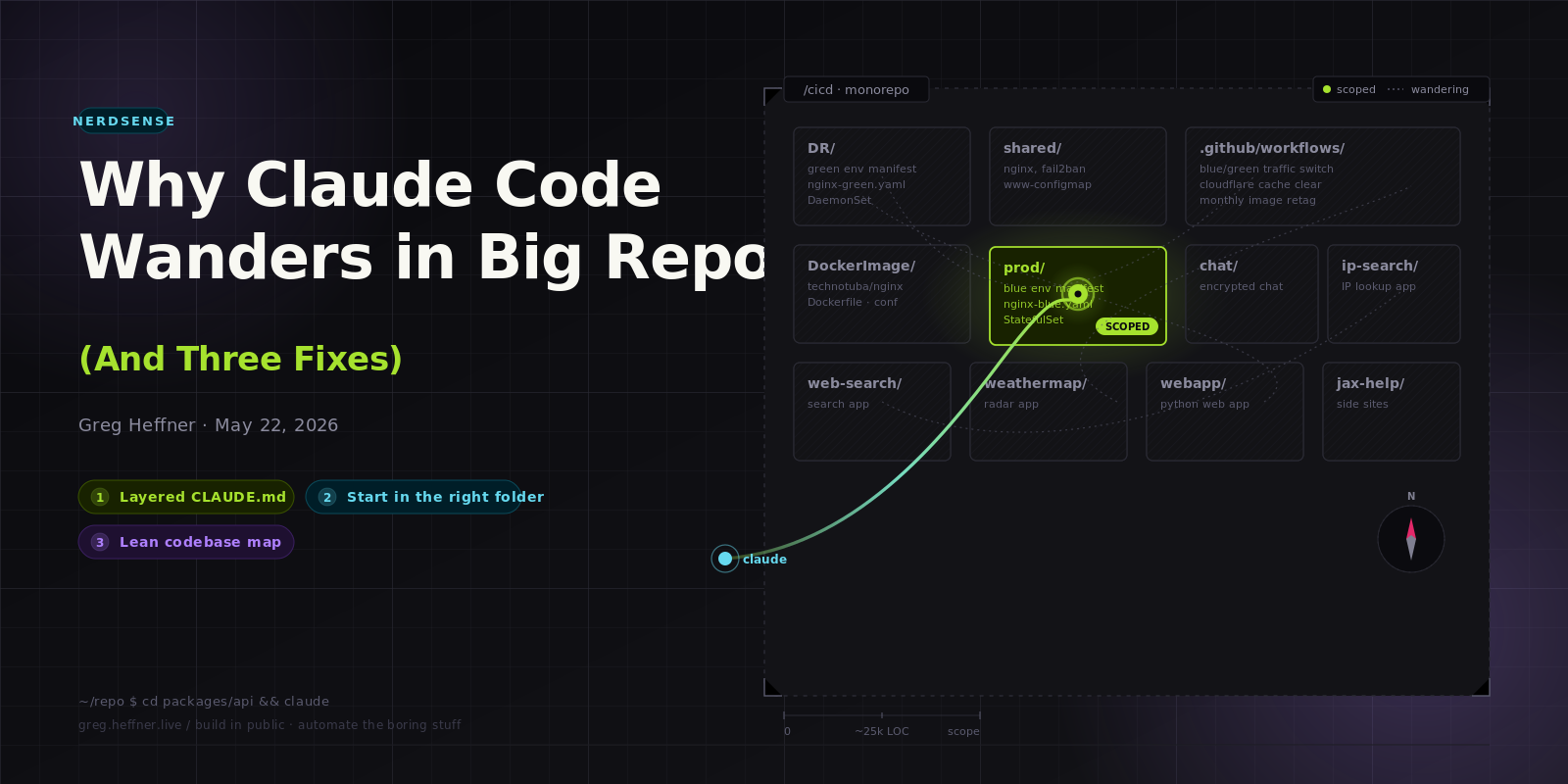
.github/: GitHub Actions workflows that run the deploys (blue/green traffic switch, Cloudflare cache clear, pod cycling, monthly image retag) and helper scriptsDR/: green environment manifest, nginx-green.yaml, a DaemonSet for disaster recoveryprod/: blue environment manifest, nginx-blue.yaml, a StatefulSet for productionDockerImage/: the technotuba/nginx container build (Dockerfile, nginx.conf, entrypoint)shared/: cluster-wide config: nginx, fail2ban, and www-configmap.yaml (the website content)chat/: Kubernetes manifest for the encrypted chat appip-search/: Kubernetes manifest for the IP lookup appweb-search/: Kubernetes manifest for the web search appweathermap/: Kubernetes manifest for the weather radar appwebapp/: Kubernetes manifest for the Python web appjax-help/: manifests for side sites: an IT helpdesk and a pressure-washing page
That is the whole map, and it took about five minutes to write. Now when I point Claude at that repo it knows the green manifest lives in DR and the blue one in prod without grepping for either. If your repo has hundreds of folders, layer the maps the same way you layer CLAUDE.md: one map up top for the major sections, smaller maps inside the sections that need their own.
Final Thoughts
All three come back to the same idea. A big codebase only overwhelms Claude Code when every session opens with the whole repo in scope and no sense of direction. Layered CLAUDE.md files hand it the right rules, starting in the right folder draws the right boundary, and a lean map gives it wayfinding. None of this is hard, and it is the gap between an agent that wanders and one that gets to work. Full credit to the ClaudeFast playbook, Claude Code in Large Codebases: 8 Strategies, for laying it out. There are five more strategies in there past these three, and they are worth your time.
Pro tip: If you use Obsidian, you already have a sandbox for all of this. A vault is just a folder tree of markdown, the same shape as a repo, and Claude burns context in a messy vault the same way it does in a messy codebase. The same three moves apply:
- Group notes into folders by area, not one giant pile.
- Keep an index note up top that says what each folder holds. Obsidian folks call it a Map of Content; it is a codebase map by another name.
- Point Claude at the folder you need, not the whole vault.
Structure decides how much Claude has to load before it can help. A tidy vault is a smaller, clearer surface to read, so more of the context window goes to the actual work. Same game, fewer tokens.
One more thing, since this lands on Memorial Day weekend. Before the grill gets going, take a minute for the heroes who did not make it home. They are the reason we get the long weekend at all. Then go enjoy it: fire up the grill, and while you are cooking something up, cook up a few agents too. Happy Memorial Day.
About Me
I served in the U.S. Army, specializing in Network Switching Systems and was attached to a Patriot Missile System Battalion. After my deployment and Honorable discharge, I went to college in Jacksonville, FL for Computer Science. I have two beautiful and very intelligent daughters. I have more than 20 years professional IT experience. This page is made to learn and have fun. If its messed up, let me know. Im still learning :)
Recent Blogs
Popular Projects
Book Board
Weather Loop