Nessus & Wazuh: Watching the Watchers at Home
TL;DR: Nessus scans your network and tells you what's broken. Wazuh watches it and tells you when something weird happens. One is a flashlight, the other is a smoke alarm, and this post shows how I run both at home on modest hardware without a full-time SOC team.
Greg Heffner May 3rd, 2026
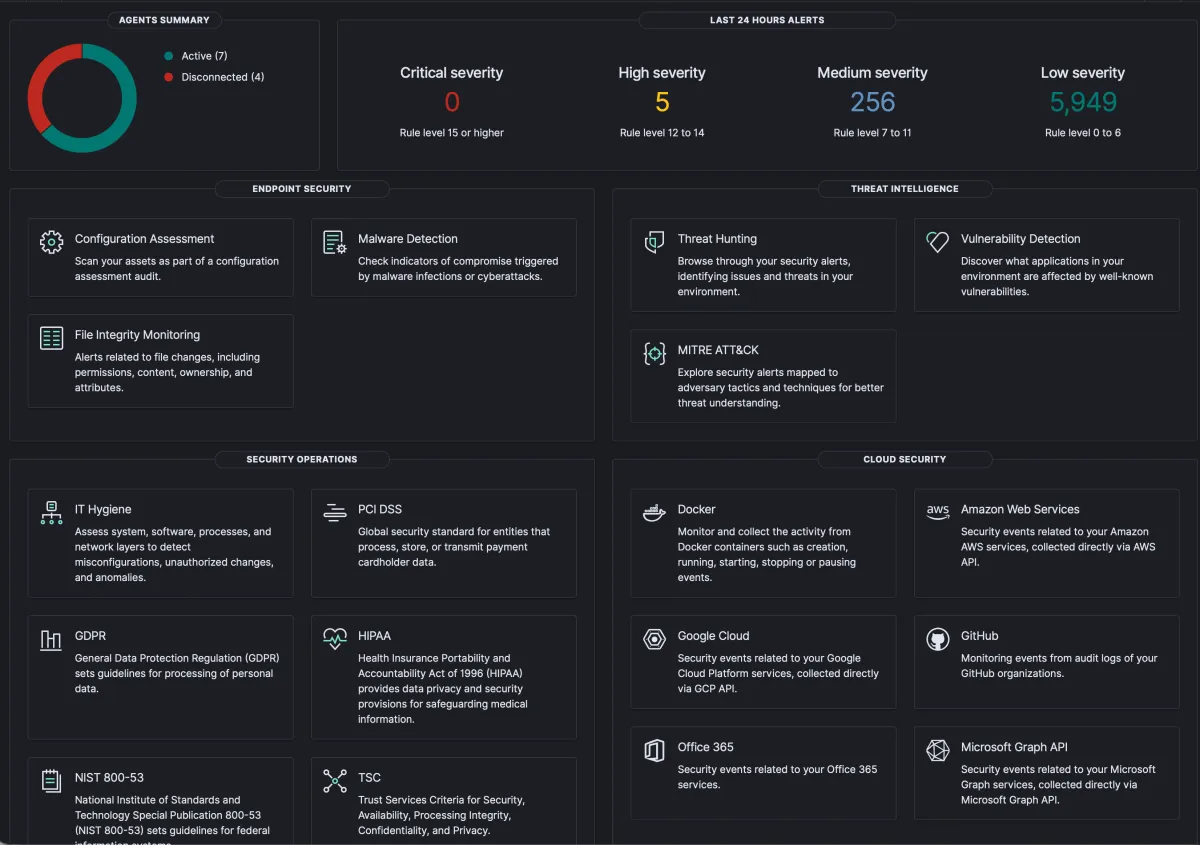
So you want enterprise security at home. Welcome to the club. The good news is the same tools the big shops run will absolutely run on a NUC under your desk. The bad news is they were designed for full-time SOC teams, and your home network is not that. I do this stuff at work all day and even I had to slow down and re-learn a few things when I set it all up at the house. This post is the version of the primer I wish someone had handed me before I started.
Were going to talk about two tools that work really well together: Nessus, which scans your stuff and tells you whats broken, and Wazuh, which watches your stuff and tells you when something weird happens. One is a flashlight, the other is a smoke detector. You want both.
What is Nessus
Nessus is a vulnerability scanner. You point it at an IP range, it pokes every port it can find, fingerprints whats running, and then cross-references that against a giant database of known CVEs. At the end you get a report that says "this box is running an OpenSSL from 2019, here are the four ways someone could ruin your week."
For home use the version you want is Nessus Essentials. Its free, it covers up to 16 IPs, and 16 IPs is honestly more than most homes need once you stop counting smart bulbs. Register an email, download the installer, give it a couple hours to pull plugin updates the first time, and youre off.
The first scan of my own network was humbling. My printer was running a web server I didnt know existed. My NAS had SMBv1 enabled because I never turned it off after a 2018 migration. A "smart" plug was speaking an old TLS that the rest of the internet stopped accepting years ago. None of these were going to get me on the news, but every one of them was a thing I would have wanted to know.
What is Wazuh
Wazuh is a different animal. Its an open-source XDR/SIEM platform, which is a lot of acronyms for "agent on each box ships logs and events to a central server, server runs rules over them, server yells when a rule fires." It does file-integrity monitoring, log analysis, rootkit detection, vulnerability correlation, and it has a pretty Kibana-shaped dashboard you can stare at while drinking coffee.
The bit that hooked me is the agent-based model. You install a tiny agent on your laptop, your NAS, your Pi-hole, your k8s nodes, and they all phone home to one Wazuh manager. Now when sshd on the NAS logs three failed root attempts in 30 seconds, I get an alert on my phone instead of finding out next week when I tail the logs out of boredom.
Why you want both
Heres the part nobody tells you when you start down this road: scanners and monitors do completely different jobs, and one without the other leaves a real hole.
Nessus tells you what could go wrong. Its proactive. You run a scan, you get a list, you patch your way down it. Great, but Nessus is asleep until you wake it up.
Wazuh tells you what is going wrong, right now. Its reactive. Its watching every login, every file change, every weird syscall. Great, but Wazuh wont tell you that the patched-but-misconfigured service youre running has a known CVE; thats just not its job.
Run them together and the loop closes. Nessus says "your media server has CVE-whatever." You patch it. Wazuh says "great, by the way someone tried to exploit the old version twice last week, here are the source IPs." Now you know it wasnt theoretical, and you know what to block at the firewall. Thats the actual win.
Real world example: Copy Fail (CVE-2026-31431)
Heres a fresh one that makes the case better than I can. On April 29th the kernel folks disclosed Copy Fail, a local privilege escalation in the Linux kernels algif_aead crypto interface. Its a clean logic bug, no race conditions, no flaky timing windows: a 732-byte Python script gets you root on basically every mainstream Linux distro shipped since 2017. Ubuntu, RHEL, Amazon Linux, SUSE, all of it. CVSS 7.8, and the proof-of-concept is small enough to fit in a tweet.
This is exactly the loop I was just talking about. Run a Nessus credentialed scan against your Linux boxes and itll flag the unpatched kernels with CVE-2026-31431 attached, so you immediately know which machines need a reboot and which are already on a fixed kernel. On the Wazuh side, the vulnerability-detection module pulls CVE feeds and correlates them against the package versions its agents are reporting, so you get the same answer from a different direction, plus alerts if anyone starts poking at the algif_aead interface or dropping a fresh binary into /tmp.
Fixing it is the easy part once you know whos vulnerable: patch the kernel, reboot the box, done. One gotcha worth knowing: on RHEL-family systems (RHEL, AlmaLinux, Rocky, CloudLinux) algif_aead is built into the kernel, so the usual "modprobe -r and blacklist it" workaround doesnt apply, you actually need the patched kernel. On Debian/Ubuntu you can blacklist the module to buy yourself a maintenance window. None of that triage is possible without a scanner pointing at it and an agent watching it, which is the whole point.
Getting started without losing a weekend
If youre brand new and want a Saturday plan, this is what I would do in your shoes:
- Spin up Nessus Essentials in a VM or a small Linux box. Let plugins finish updating before you do anything else. Its hours, not minutes.
- Run one full scan of your home subnet. Just look at the report. Dont fix anything yet. Get used to the noise.
- Stand up Wazuh next, on a different box if you can. The all-in-one installer is fine for a home lab; dont over-engineer it.
- Install the Wazuh agent on the two or three machines you actually care about: your main laptop, your NAS, your reverse proxy. Not everything. Start small.
- Now go back to your Nessus report and start picking off the easy wins. Watch the Wazuh dashboard while you do it. Youll start to see the cause-and-effect.
Thats it. Thats the whole on-ramp. Two tools, one weekend, and youll know more about whats happening on your own network than you did the day before. Which, honestly, is more than a lot of small businesses can say.