Claude Agents: The 7 Building Blocks (and 8 Tips for Using Them)
Greg Heffner May 17th, 2026
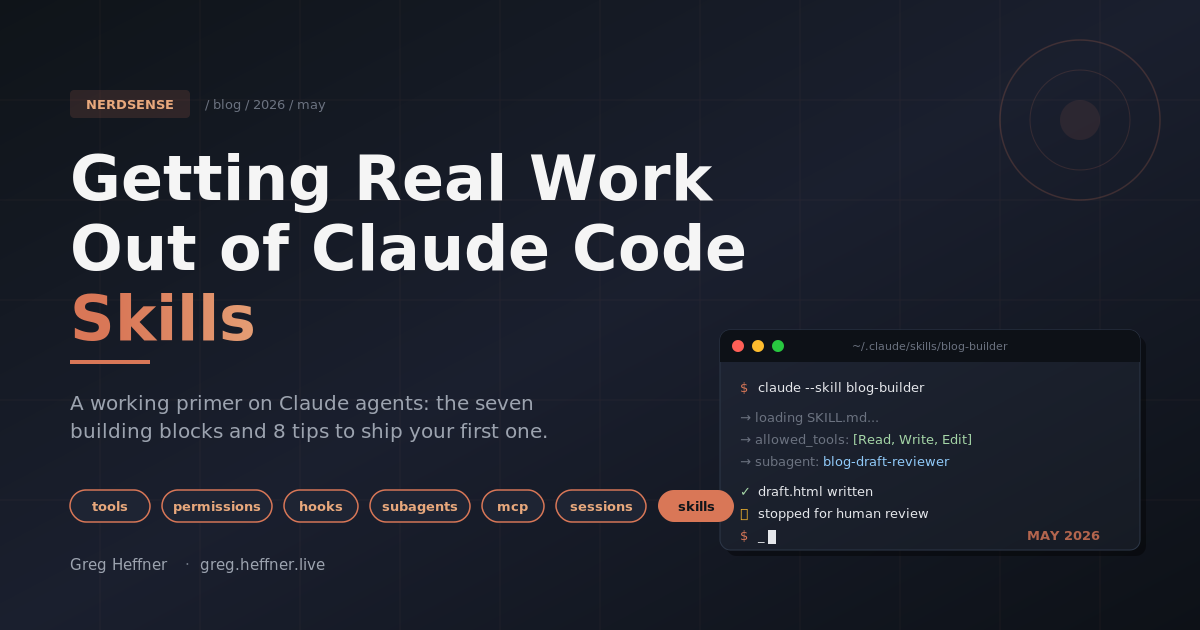
Im writing this post with a Claude agent. To be specific: a blog-builder skill
drafted it, a blog-draft-reviewer subagent reviewed it, and Im riding shotgun with
edits. Thats the kind of thing this post is about: actual agents that read
files, run commands, search the web, edit code, and stop when theyre done. Not chatbots, not
assistants. The part of AI that finally moved from "neat demo" to "thing that does work for me on
a Tuesday afternoon."
The main resource Im pointing at is Anthropics official Claude Agent SDK overview. If you only click one link, click that one. Its the source of truth for everything below. What follows is a working primer on what agents actually are, what theyre made of, and how to build one without setting your weekend on fire.
What an agent actually is
The textbook answer: an agent is an LLM that can use tools in a loop. The model gets a goal, decides what to do, calls a tool, looks at the result, decides what to do next, and keeps going until the goal is met (or it gives up and tells you). The loop is the whole magic trick. Without the loop you have a very expensive autocomplete. With the loop you have something that can read your codebase, find the bug, fix it, run the tests, and report back.
The Claude Agent SDK is Anthropics library for building agents like this. Same
engine that powers Claude Code, exposed as a programmable thing. You install it (pip install
claude-agent-sdk for Python, npm install @anthropic-ai/claude-agent-sdk for
TypeScript), set an API key, point it at a prompt, and Claude handles the entire tool-use loop for
you. Compared to the lower-level Anthropic Client SDK, where you write the tool loop by
hand, this is a massive shortcut.
The building blocks
Every Claude agent is assembled from the same set of primitives. If you understand these seven, youll understand 90% of what you read in any agent codebase:
- Tools:what the agent can do. The SDK ships with built-ins: Read, Write, Edit, Bash, Glob, Grep, WebSearch, WebFetch, AskUserQuestion, Monitor. You can also define your own.
- Permissions:which of those tools the agent is actually allowed to
use on this run. Controlled via
allowed_tools(Python) orallowedTools(TypeScript). - Hooks:code that runs at lifecycle events:
PreToolUse,PostToolUse,Stop,SessionStart,SessionEnd,UserPromptSubmit, and friends. Use them for logging, validation, blocking, and cleanup. - Subagents:specialized agents your main agent can delegate to via the
Agenttool. Each has its own prompt, its own tool list, its own context window. - MCP:the Model Context Protocol. The way you plug in external systems (databases, browsers, APIs) without writing a custom integration. Hundreds of MCP servers already exist.
- Sessions:persistent conversation state. Capture a
session_id, resume later with full context, or fork to explore a different path. - Skills, slash commands, memory:filesystem-based config under
.claude/andCLAUDE.md. A skill is a named, repeatable instruction set (.claude/skills/<name>/SKILL.md) the agent can invoke like a function call. This is the unit of repetition you build around.
The tips below are mostly about which primitive to reach for, and when.
Tip 1: Start with a workflow you already do three times a week
The number-one mistake I see is people trying to build a "general assistant." Dont. Pick a workflow
you already repeat: drafting blog posts, triaging PRs, scaffolding microservices, weekly reports.
If youve done it three times, its a skill candidate. If you have to invent the workflow to justify
the skill, youre going to abandon it inside a week. The SDK ships with a SKILL.md
convention under .claude/skills/ precisely because this is the unit of repetition
Anthropic expects you to build around.
Tip 2: Pick the right SDK layer for the job
This is the question worth getting right before you write a line of code, because picking wrong means rewriting later:
- Anthropic Client SDK:low level. You implement the tool loop yourself. Maximum control, maximum work.
- Claude Agent SDK:same engine as Claude Code, runs in your process, agent works on files in your infrastructure. The right pick for local automation, CI/CD agents, and anything that needs to touch your filesystem.
- Managed Agents:Anthropic-hosted REST API, sandboxes per session, session state stored on their side. Right pick for production agents you dont want to operate yourself, especially long-running async ones.
Common pattern: prototype locally with the Agent SDK, then graduate to Managed Agents for production. Pick wrong and youll either be reinventing things or fighting the platform.
Tip 3: Constrain tools via permissions, dont trust the default
I learned this one the hard way. Early on I gave an agent Bash when all it actually
needed was Read and Grep, and within about five minutes it had decided
to "tidy up" a directory it didnt fully understand. No real damage in the homelab and nothing I
couldnt restore from a snapshot, but the lesson stuck. Every Agent SDK call accepts an
allowed_tools (Python) / allowedTools (TypeScript) list. Use it.
If your agent only needs to read code and grep, give it ["Read", "Glob", "Grep"] and
nothing else. A read-only agent literally cannot scribble on your repo. Tighten the tool list and
most of your "the bot did what?!" stories disappear before they start.
Tip 4: Use hooks to enforce policy, not for business logic
The SDK exposes lifecycle hooks: PreToolUse, PostToolUse, Stop,
SessionStart, SessionEnd, UserPromptSubmit. Theyre great
for things like logging every Edit to an audit file, blocking Bash calls
that touch /etc, or auto-cleaning a temp directory on SessionEnd. Theyre
not the place to put the actual work your agent does. If you find yourself writing
business logic in a PostToolUse hook, thats a signal to make it a subagent or a
proper script instead. Hooks are the guardrails; your agent is still the driver.
Tip 5: Split work with subagents
Subagents are specialized agents your main agent can delegate to via the Agent tool.
Each one gets its own prompt, its own allowed tools, and its own slice of context. The classic
pattern is a code-reviewer subagent with read-only tools and a security-flavored
prompt: your main agent finishes a refactor, calls the subagent, and gets back an independent
second opinion without polluting its own working context. I do the same thing for my blog pipeline.
A blog-draft-reviewer subagent reads the post and flags voice/SEO issues before I
push. The whole definition fits in about ten lines: a name, a one-line description of when to use
it, the tools its allowed to call (Read, Glob, Grep), and a
prompt that says "review this draft for voice and SEO, dont edit, just flag." Thats it. Smaller
agents with sharper scopes beat one big "do everything" agent every time.
Tip 6: Reach out via MCP, not custom integrations
If you need your agent to drive a browser, talk to a database, hit your ticketing system, or pull
from a private API. Dont hand-roll it. Use a Model Context Protocol server.
Anthropic and the community ship hundreds of MCP servers already (Playwright for browser
automation, official servers for filesystems, databases, GitHub, the works). You add them via
mcp_servers in your ClaudeAgentOptions and Claude picks up the new tools
automatically. Anything you write by hand is going to be worse, less tested, and harder to swap
out later.
Tip 7: Stop before anything destructive
This one Ill die on the hill for. Any skill or agent that commits code, pushes to prod, sends an
email, or moves money should hard stop for human review before it does the
destructive thing. My blog pipeline is literally two skills: blog-builder writes the
draft, blog-publish pushes it. Theres a checkpoint between them where I read the post
in my browser. The thirty seconds of review beats the thirty minutes of revert every single time.
Pair this with the permission-mode options (acceptEdits, etc.) so the agent isnt
silently writing files behind your back either.
Tip 8: Use sessions when context actually matters
The SDK lets you capture a session_id and resume later, or fork a session to explore a
different approach without losing the original thread. Use this for multi-step work where the
second turn depends on what the first turn discovered (read the auth module → now find every
caller). Dont use it for one-shot tasks; youre just paying for context you dont need. Sessions
are a tool, not a default.
claude -p usage on Anthropic subscription plans draws from a new monthly
Agent SDK credit pool, separate from your interactive Claude Code limits. If youre
planning to push the SDK in production, check the credit math now, not on June 16th.
Getting started without losing a weekend
If you want a Saturday plan, this is what I would do in your shoes:
- Skim the Agent SDK overview, especially the Capabilities tabs (tools, hooks, subagents, MCP, permissions, sessions). Thats your menu.
- Install the SDK (
pip install claude-agent-sdkornpm install @anthropic-ai/claude-agent-sdk) and run the quickstart bug-fixing agent. Just get the loop to run end-to-end. - Pick one workflow you already do every week and write it up as a SKILL.md. Inputs at the top, steps in order, hard stop near the end.
- Lock the agents tool list down with
allowed_tools. Read-only first; add Edit and Bash only when youve seen what it does. - Run it. Watch it fail at something obvious. Fix the skill, not the conversation. Repeat until boring.
Thats the whole on-ramp. The reason this stuff is exciting in 2026 isnt because the models got smarter. Its because the tooling around them finally caught up. Tools, hooks, subagents, MCP, permissions, sessions, skills: those are the actual moving parts. The Claude Agent SDK is the shortest path Ive found from "agents are interesting" to "I have a thing on my disk that does real work for me." Pick one workflow, build one agent, and the rest of this catalog will start making sense as you go.
Further reading
- Claude Agent SDK overview: the official docs and the primary source for everything above.
- claude-agent-sdk-demos: example agents (email assistant, research agent, more) you can read and steal from.
About Me
I served in the U.S. Army, specializing in Network Switching Systems and was attached to a Patriot Missile System Battalion. After my deployment and Honorable discharge, I went to college in Jacksonville, FL for Computer Science. I have two beautiful and very intelligent daughters. I have more than 20 years professional IT experience. This page is made to learn and have fun. If its messed up, let me know. Im still learning :)
Recent Blogs
Popular Projects
Book Board
Weather Loop